 Retag
Prices changed? Reprint only the labels that did.
Retag remembers the label you last printed for every product. Import the new price list from your register or spreadsheet, check every price that went up or down, and print just the labels you need — on Avery sheets with any AirPrint printer.
Free for up to 10 products. No account, no ads. iPhone and iPad, iOS 17+.
A price-change routine, not a label designer
Made by a store owner for boutiques, gift shops, pharmacies, hardware stores, and market vendors whose prices change every week.
Know what to reprint
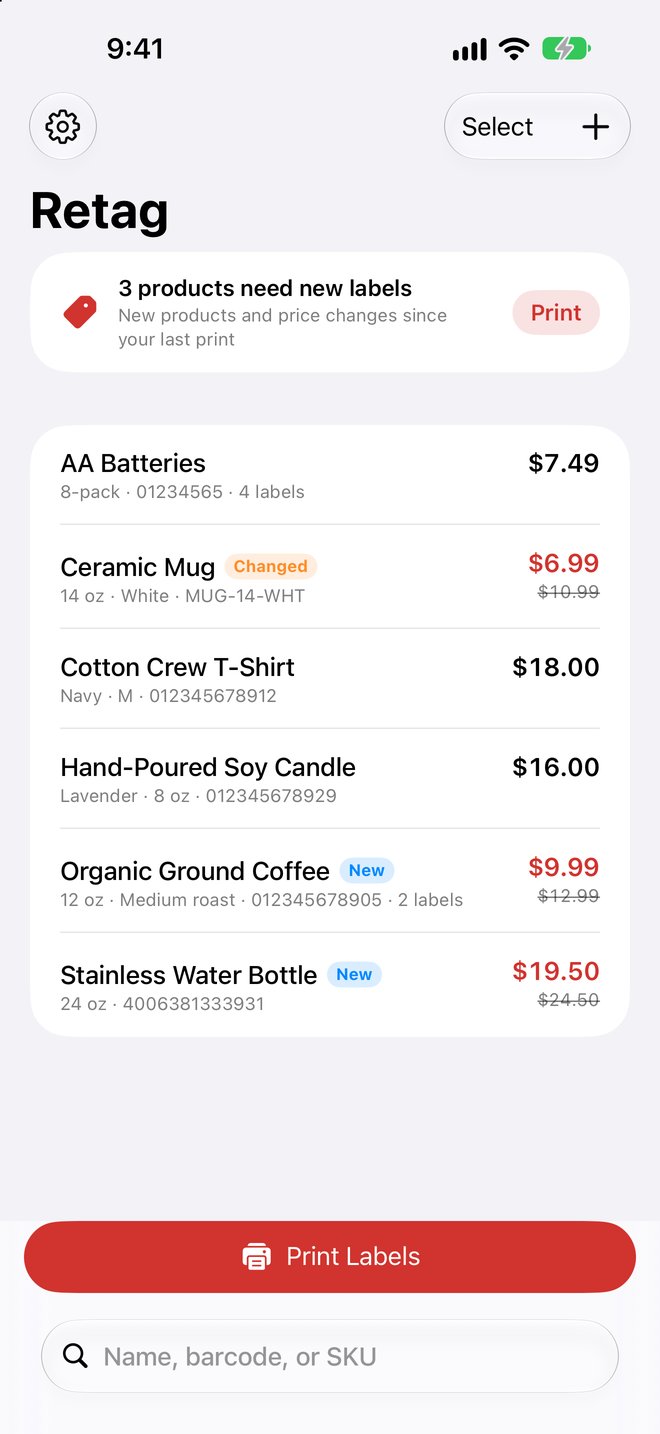
New products and changed prices are flagged automatically. "12 products need new labels" — one tap prints just those.
Check the new price list
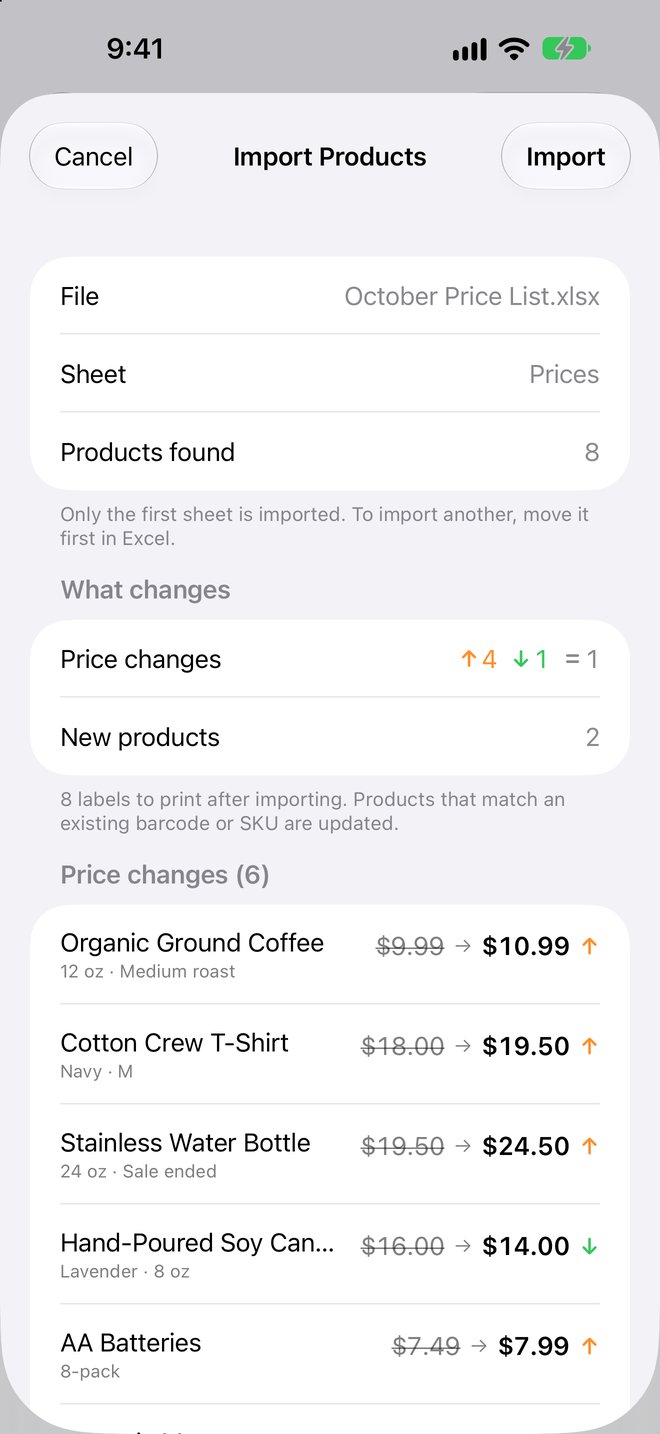
Import Excel (.xlsx) or CSV from Shopify, Square, Numbers, or Google Sheets. Before anything is saved, see every price that went up or down, old and new side by side.
Sales without a calculator
Put a whole aisle on sale — 20% off, $5 off, optional .99 endings. Prices round down, so "20% OFF" is always at least 20% off.
Five label designs
Shelf labels with barcode, small price stickers, sale tags with the old price struck through, hang tags with your logo or store name, and barcode labels.
Avery sheets, any printer
Avery 5160, 5167, 5161, 5163, and more on any AirPrint printer, or your own sizes. Start mid-sheet to use up partly printed sheets, and nudge the alignment once for your printer.
Sale signs
Half-page and full-page signs with "SALE · 25% OFF", the was price, and a big now price that shoppers can read from across the aisle.
Every device in the store
With Pro, iCloud sync keeps products, print status, and store settings the same on every iPhone and iPad — in your own iCloud, never on our servers.
Scan to find or add
Point the camera at a barcode to open that product, or to start a new one with the code already filled in.
Works with label printers
Save each label as a 300-dpi image to print from your thermal label printer's own app, or share the PDF to print anywhere.
Crisp labels at any size
Barcodes and text print as sharp vectors, black on white, so they scan at the register and read well on laser, inkjet, and thermal printers.
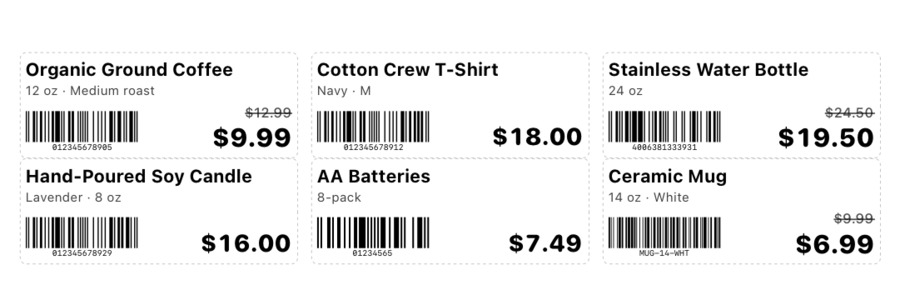
Shelf labels · Avery 5160
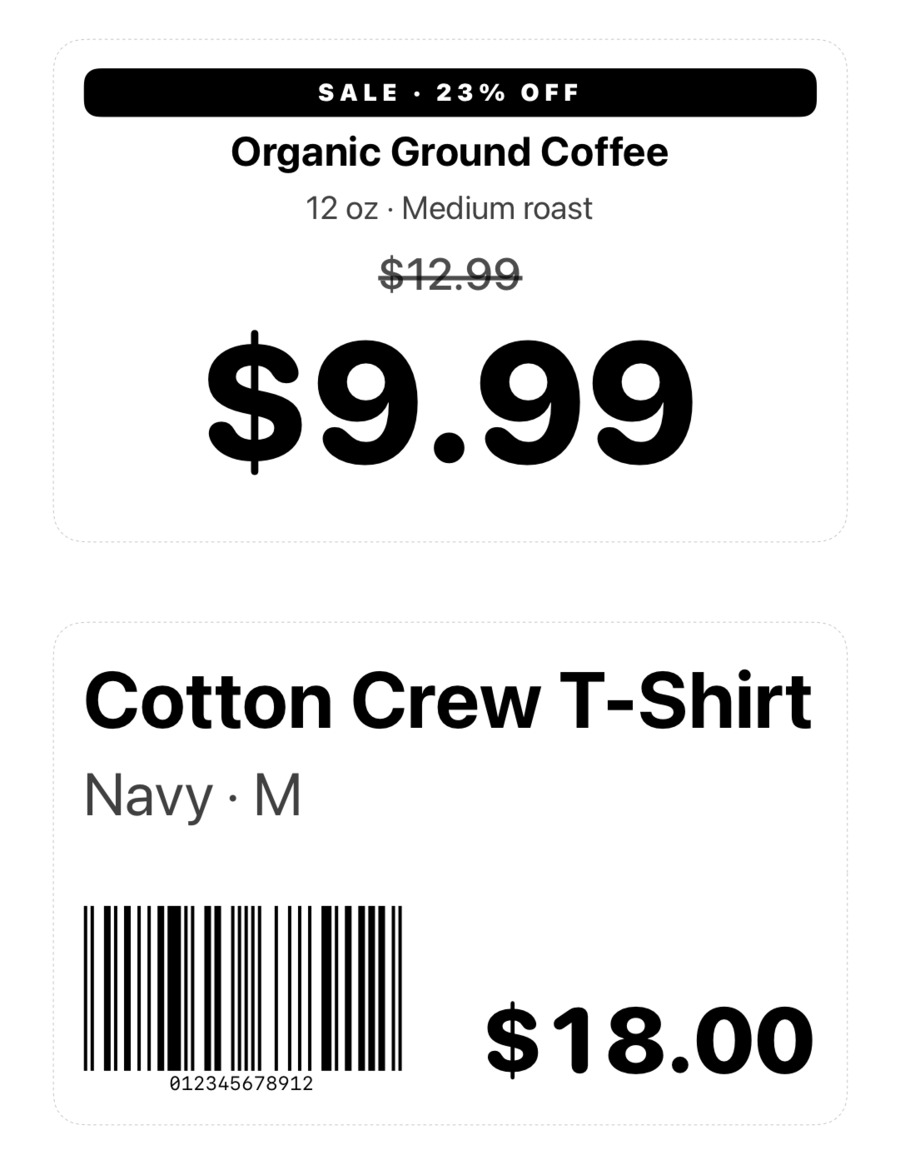
Sale signs · half page
Start free. Pay once if you need more.
Your labels are yours: nothing you design is ever locked behind a subscription. Prices in USD.
Free
- Up to 10 products
- Shelf, price sticker, and barcode designs
- Every paper size, print, PDF, and images
Pro Lifetime
- Unlimited products
- Full spreadsheet import
- Sale signs and hang tags
- No subscription
Pro Monthly
- Everything in Pro
- For seasonal stores
- Cancel anytime
Questions
Which printers work?
Any printer that supports AirPrint prints the label sheets and signs. For thermal label printers that don't support AirPrint (such as many NIIMBOT and Phomemo models), save the labels as images and print them from the printer's own app.
Which label sheets should I buy?
Avery 5160 (or 8160, 30 per sheet) is the most common for shelf labels. Avery 5167 makes small price stickers, and 5161 and 5163 make larger labels. Store-brand sheets with the same Avery number work too.
How do I import my products?
Use an Excel workbook (.xlsx) as it is, or save your product list as CSV from Numbers, Google Sheets, Shopify, or Square. The first row needs column titles such as Name and Price; Sale Price, Barcode, and SKU are optional. See Support for step-by-step instructions.
What about my privacy?
No accounts, no ads, no tracking. Your products stay on your device — and in your own iCloud if you turn on sync. Read the privacy policy.